Installation video
Watch the physical setup before the first run.
Use this video when assembling the machine, tray, camera mount, and card path.
Operating manual
A field manual for setup, first run, audio tuning, and fast recovery when sorting goes wrong.
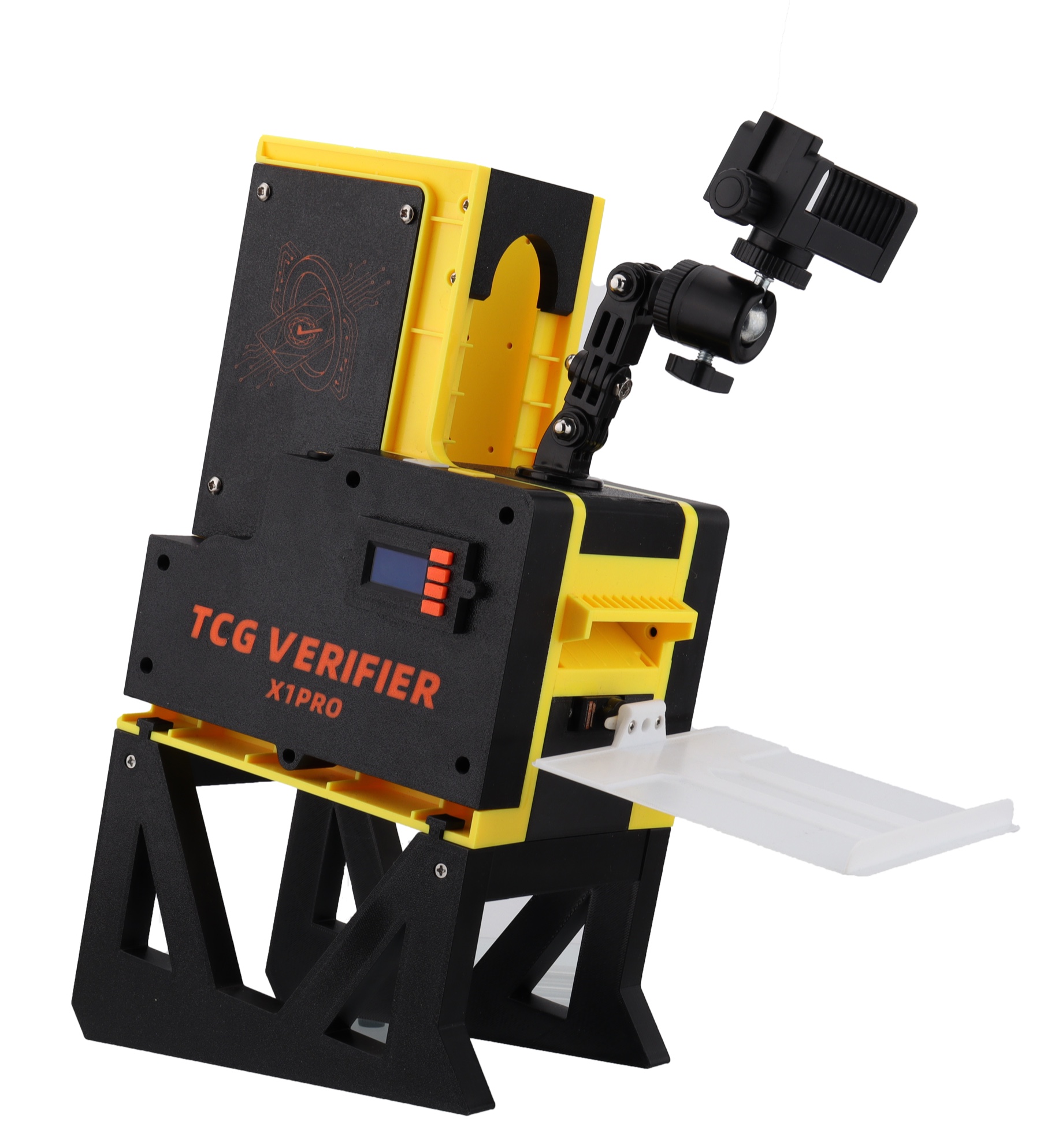
Interactive parts map
Tap a marker to identify the hardware.
Quick start
Use this short sequence after the machine is assembled, powered, and aligned with your phone or USB webcam.
Installation video
Use this video when assembling the machine, tray, camera mount, and card path.
Audio learn
How to implement sorting functionality.
Hardware map
Select a part on the image or in the list to see its role in the workflow.
Sorting flow
After Start, the machine feeds a card, waits for the app result sound, then sends the card to OK or FAIL.
Audio and sorting tune-up
The X1PRO listens for the scan result sound. Good sorting depends on clean audio, a learned threshold, and a stable card exit delay.
Problem finder
Search by symptom. If sorting does not work, first check app audio output, Sound Learn, volume, and whether the app can emit different OK/FAIL sounds.
Product notes
Public product details were checked against tcgverifier.com/products/tcg-verifier.